
 Nick Quirk
 Composer is the dependency manager for PHP, and inside WordPress it answers a question the plugins screen never could: exactly which version of every package your site is running, down to the commit. A Composer-managed WordPress site keeps core, plugins, themes and vendor libraries declared in a single composer.json file, then installs them on the server during deploy. That file, plus its lock file, becomes the source of truth for the entire codebase.
The friction people hit is rarely Composer itself. It is the server: PHP CLI versions, memory limits, file permissions and the temptation to run composer update on a live production box.
What Composer Actually Manages in a WordPress Install
Most teams start by assuming Composer only handles PHP libraries in the vendor/ directory. In practice it can manage almost every moving part of a WordPress site.
- WordPress core as a package, usually
johnpbloch/wordpressorroots/wordpress, installed into its own subdirectory. - Free plugins and themes pulled from WPackagist, which mirrors the WordPress.org repository as Composer packages.
- Premium plugins such as ACF Pro or Gravity Forms, added through a private repository, a Satis mirror or a licensed package endpoint.
- PHP libraries like Guzzle, Monolog or the AWS SDK that your custom plugin code depends on.
Once those are declared, the server no longer needs FTP uploads or a zip file someone downloaded in 2023. It reads the manifest and builds the site.
Two Ways to Wire Composer Into WordPress
There is no single correct setup, and the right one depends on how much of the stack you control. I generally see teams pick between two patterns.
- Full Composer-managed site. Composer controls core, plugins, themes and libraries. Bedrock-style layouts sit in this camp, with a
web/document root andwp-contentrenamed toapp. Strongest reproducibility, steepest learning curve. - Hybrid setup. WordPress core and most plugins stay managed the normal way, and Composer only handles the libraries inside your custom plugin or theme. Far easier to sell to a client team that still wants the update button.
Hybrid works well for agencies running dozens of small sites. Full Composer management pays off on complex builds, such as a membership site where payment libraries and custom access rules need version pinning.
A composer.json File That Behaves on a Real Server
The file itself stays short. What matters is the repositories block and the installer paths, which tell Composer where WordPress expects plugins to live.
{
 "repositories": [
 { "type": "composer", "url": "https://wpackagist.org" }
 ],
 "require": {
 "php": ">=8.2",
 "johnpbloch/wordpress": "^6.7",
 "wpackagist-plugin/wordpress-seo": "^24.0",
 "wpackagist-theme/twentytwentyfive": "^1.0"
 },
 "require-dev": {
 "wp-cli/wp-cli-bundle": "^2.11",
 "phpunit/phpunit": "^11.0"
 },
 "extra": {
 "installer-paths": {
 "wp-content/plugins/{$name}": ["type:wordpress-plugin"],
 "wp-content/themes/{$name}": ["type:wordpress-theme"]
 }
 }
}
Note the split between require and require-dev. Testing tools, linters and WP-CLI belong in dev, because production should never install them.
We cover this topic in more depth in How to Use Heavy AI Plugins Without Crashing Your WordPress Server.
Related reading: Using Generative AI to Optimize WordPress Server Configurations.
Related reading: How to Restrict WordPress Access by IP Address in .htaccess or Nginx.
Where to Run the Install Command
Running composer update on a live server is the single most common way to break a WordPress site at an inconvenient hour. Update resolves fresh versions; install replays the lock file. Those are different risks.
- Run
composer updatelocally or on a build runner, review the diff in composer.lock, and commit that lock file. - On the server, run
composer install --no-dev --optimize-autoloader --prefer-distso you get the exact resolved versions with a classmap autoloader. - Deploy to staging first, then promote. Pairing this with GitHub Actions keeps the install step off the production shell entirely.
- Watch PHP CLI memory. Composer’s resolver can need 1.5 GB or more on a large dependency tree, and the CLI limit is often separate from the web limit.
- Confirm the CLI PHP version matches the web PHP version, or Composer will resolve packages for the wrong runtime.
Hosting with real SSH and Git-based deployments makes this routine instead of an adventure. Platforms that only give you a file manager force you to commit vendor/ and upload it, which works but hides the actual dependency management from your team.
When Two Plugins Ship Different Versions of the Same Library
This is the gap most Composer tutorials skip. WordPress loads every active plugin into one PHP process, so if Plugin A bundles Guzzle 6 and Plugin B bundles Guzzle 7, whichever autoloader registers first wins and the other plugin gets a fatal error or silent misbehaviour.
Composer cannot solve that on its own, because the conflicting code was shipped inside plugin zips rather than resolved as a dependency. The practical fixes are namespace prefixing tools such as PHP-Scoper or Strauss, which rewrite your vendor namespaces at build time so your copy of a library cannot collide with anyone else’s.
If you distribute a plugin publicly, prefixing is close to mandatory. For a single client site you control, a shared root-level composer.json and one autoloader is cleaner, since duplicate packages never enter the build. Either way, read the autoloader output after each deploy and watch for duplicated class warnings.
Server Habits That Keep Composer Deploys Boring
- Commit composer.lock, always. Without it, two servers built a week apart can run different code from identical repositories.
- Keep vendor out of Git when your host runs the install step, and in Git when it does not. Pick one and document it.
- Set file ownership correctly so the deploy user writes
vendor/and PHP-FPM only reads it. - Schedule dependency audits with
composer auditagainst the PHP advisory database, ideally on a real server cron job rather than WP-Cron. - Log everything. A failed post-install script usually shows up in the PHP error log long before a visitor notices.
Teams doing serious PHP development on WordPress often extend the same discipline to their tracking stack, which is why server-side GA4 setups tend to arrive with a Composer-managed measurement library rather than a pasted snippet.
Frequently Asked Questions
Is Composer a Dependency Manager for PHP?
Yes. Composer is the standard dependency manager for PHP, first released in 2012, and it resolves, downloads and autoloads packages from Packagist and other repositories. It reads your requirements from composer.json and writes the resolved versions to composer.lock so every environment installs identical code.
Is Composer Only for PHP?
Composer manages PHP packages only, so it is not a replacement for npm or Yarn on the JavaScript side. Many WordPress projects run both: Composer for server-side libraries and plugins, npm for block editor assets and CSS builds, with each tool writing its own lock file.
What Is the Purpose of PHP Composer?
The purpose is reproducible dependency management, meaning a project installs the same package versions on a laptop, a staging server and production. It also generates a PSR-4 autoloader, which removes hundreds of manual require statements from your code.
Which Plugin Is Mostly Used in WordPress?
Yoast SEO, Contact Form 7, Elementor and WooCommerce each report more than 5 million active installations, making them among the most widely used plugins. All four are available through WPackagist, so you can pin their versions in composer.json instead of relying on dashboard updates.
Run Composer on Hosting Built for It
Composer workflows need SSH access, a matching PHP CLI, sane memory limits and staging that mirrors production. Our WordPress hosting plans include all of that from the entry tier, and our team will review your deploy script before you push.
Related Articles
 WordPress Development
Optimizing the WordPress REST API for Headless Applications
Cut payloads, cache smartly and lock down endpoints. A practical 2026 playbook for optimizing the WordPress REST API for headless applications.
 Nick Quirk
 WordPress Development
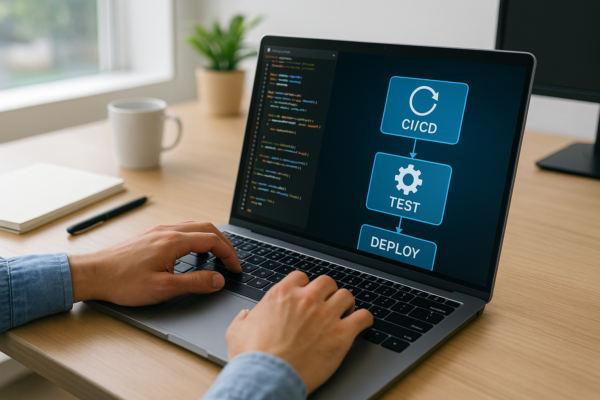
Setting Up CI/CD Pipelines for WordPress Theme Deployment
A practical 2026 walkthrough for setting up CI/CD pipelines for WordPress theme deployment with GitHub Actions, staging gates, rollbacks and post-deploy checks.
Nick Quirk
 WordPress Development
Integrating Autonomous AI Agents into Your WordPress Site
How to add autonomous AI agents to WordPress in 2026: connection methods, server load, permissions, rollback and the hosting setup agents need.
Nick Quirk
[…] We cover this topic in more depth in Composer in WordPress: Managing Dependencies on the Server. […]
[…] resolution never completes at all. Check both before you commit to a plan, and read our notes on running Composer for WordPress on the server if you plan to build […]
[…] configs in version control. Server files belong in Git alongside your theme, the same way Composer keeps PHP dependencies auditable rather than […]
[…] We cover this topic in more depth in Composer in WordPress: Managing Dependencies on the Server. […]