
 Nick Quirk
 A WordPress Multisite network does not simply multiply your hosting needs by the number of sites, it changes which resource runs out first. Most single-site installs die on PHP workers or CPU, while a WPMU network usually hits database limits, backup windows and SSL certificate ceilings long before raw traffic becomes the problem. Planning hosting around those three pressure points is what keeps a 40-site network stable.
We see the same pattern with agencies and universities every month: the network works beautifully at 10 sites, gets twitchy at 60, and becomes unmanageable at 300 because nobody sized the database or the restore process in advance.
Your Database Grows Faster Than Your Traffic
WordPress core creates roughly 9 to 12 tables for every subsite you add to the network, plus a handful of global tables like wp_blogs, wp_site, wp_sitemeta, wp_users and wp_signups. A 100-site network therefore starts life with over 1,000 tables before a single plugin adds its own. Add WooCommerce or an LMS to each subsite and 2,500 tables is normal.
MySQL and MariaDB cope with that count, but the operational side gets awkward:
- Logical backups slow down. A mysqldump of a 2,000-table network can take 15 to 40 minutes where a single site takes 20 seconds, so hosts need snapshot or binary backups instead.
- table_open_cache and open_files_limit need raising. Defaults around 2,000 are fine for one site and marginal for a large multisite network.
- Autoloaded options multiply. Each subsite carries its own wp_options table, and a bloated 3 MB autoload row on 200 sites is 600 MB of wasted memory reads per day.
Ask any prospective host what their per-account table limit and database size cap actually are. Budget shared plans often cap tables at 1,000 or databases at 1 GB, which quietly ends a growing network.
PHP Workers Are Shared, So One Subsite Can Stall the Rest
Every site in a WPMU network runs through the same PHP-FPM pool, the same CPU allocation and the same memory limit. If one subsite runs an unindexed query or a runaway import, requests queue for everything else on the network. That shared blast radius is the single biggest architectural difference from running 40 separate installs.
Practical sizing guidance that holds up in production:
- Allow 2 to 4 PHP workers per CPU core, and plan for at least 8 workers once you pass 20 reasonably active subsites.
- Set WP_MEMORY_LIMIT to 256M and the admin limit to 512M, since network admin screens load data across every site.
- Use per-site resource monitoring so you can identify the one subsite burning 60% of CPU rather than guessing.
Hosting that scales vertically without downtime matters more here than for a standalone blog, which is why we point network owners toward plans built for WordPress hosting scalability rather than a fixed container. Visibility helps too: hosting-level analytics will show you which subsite spikes at 2am, something WP-Admin alone will never tell you.
Subdomains, Subfolders and the SSL Bill
You choose subdomains (site1.example.com) or subfolders (example.com/site1) when you create the network, and changing later is painful. Subfolders are simpler, need no DNS work and suit content sections, intranets and course catalogues. Subdomains suit tenants who want brand separation, and they are required if you plan heavy domain mapping later.
For a closer look at this topic, see our guide: A/B Testing on WordPress: Why Server-Side Routing Beats JavaScript.
The certificate side is where hosting plans differ most. A subdomain network needs a wildcard certificate (*.example.com), and every mapped custom domain needs its own certificate on top. Let’s Encrypt allows 100 names per certificate and caps new certificates at 50 per registered domain per week, limits documented in the Let’s Encrypt rate limit policy. Onboarding 80 client domains in a weekend will hit that wall.
Confirm your host issues wildcard certificates automatically and renews mapped-domain certs without manual tickets. Managed platforms with automated SSL provisioning for WordPress remove most of that admin.
Backups Must Restore One Site, Not Four Hundred
This is where generic multisite hosting falls apart. A nightly full-network snapshot is useless when a single client deletes their homepage on Tuesday afternoon and you cannot roll back 399 other sites to fix it. Granular restore is a hosting feature, not a plugin feature, and it should be on your evaluation checklist.
Before committing to a provider, test the following:
- Restore one subsite’s tables and uploads folder from last night’s backup without touching the network.
- Export a subsite to a standalone WordPress install, because clients leave and you will need a clean handover path.
- Clone the whole network to staging, including the domain mapping table, and confirm URLs rewrite correctly.
Uploads deserve attention too. Multisite stores media under wp-content/uploads/sites/ID, so file counts climb quickly, and networks with 500,000 files need object storage or at least an incremental file backup rather than a nightly tar.
Caching Behaves Differently Across a Network
Page caching works per hostname, so a 200-site network needs roughly 200 times the cache storage of a single site. Object caching is the bigger win: Redis or Memcached keys are prefixed per blog ID, and a busy network commonly needs 512 MB to 2 GB of allocated cache memory. Undersize it and eviction churn makes the dashboard slower than no cache at all.
A CDN sitting in front of the network covers static assets for every subsite at once, which is usually cheaper than per-site plans. If your network serves an international audience, dual-stack addressing also matters, and our write-up on IPv6 in modern WordPress hosting explains why mapped domains should resolve on both stacks.
When a Multisite Network Is the Wrong Tool
Multisite rewards networks where sites share a purpose, a plugin set and an owner. It punishes situations where they do not. Skip it if clients need independent plugin control, if one site runs a high-volume store, or if a subsite may be sold or handed over within a year.
Strong fits include university departments, franchise location sites, publisher brand families and training providers running cohort sites on WordPress course hosting. Poor fits include unrelated client work, anything needing per-site PHP versions, and headless builds where each front end has its own deployment cycle.
A Pre-Launch Hosting Checklist for WPMU
- Confirm no table count or database size cap that your projected site count will exceed.
- Verify wildcard SSL plus automated certificates for mapped domains.
- Test a single-subsite restore and a single-subsite export before go-live.
- Allocate object cache memory based on total site count, not average traffic.
- Set up per-site resource reporting so one tenant cannot quietly starve the network.
- Read the official Create a Network guide and match its wp-config and rewrite rules to your server stack.
Frequently Asked Questions
Do I Need Special Hosting for WordPress Multisite?
You need hosting that permits wildcard subdomains, wildcard SSL and at least 1,000 database tables, which rules out many entry-level shared plans. The WordPress software requirement is identical to a single site, so the constraint is the provider’s account limits rather than the application.
How Many Sites Can One Multisite Network Handle?
Networks of 500 to 1,000 subsites run fine on well-tuned hosting, and WordPress.com proves the model works at far larger scale. The practical ceiling is usually set by backup windows and network admin page load, not by WordPress itself.
Can Each Site in a Network Use Different Plugins?
Plugins are installed once at the network level, and a super admin decides whether to network activate them or let each subsite enable them individually. Subsite admins cannot upload new plugins or themes, which is a governance benefit for internal networks and a dealbreaker for client work.
Is Multisite Harder to Migrate Than a Single Site?
Yes, expect roughly two to three times the work, since migration involves serialized URL data across every subsite table plus the wp_blogs and domain mapping records. Most hosts that offer free migrations quote networks separately, so confirm WPMU support before you request one.
Talk to Us About Your Multisite Setup
Send us your current site count, projected growth and whether you use subdomains or mapped domains, and we will tell you exactly which resources your network needs. If you are weighing a network against separate installs, our team will walk through the trade-offs with your actual numbers.
Related Articles
 WordPress Hosting
How to Move a WordPress Site to a New Host in 2026 (Step-by-Step)
Learn how to move a WordPress site to a new host without downtime or data loss. Step-by-step guide covering plugins, manual migration, and DNS.
 Nick Quirk
 WordPress Hosting
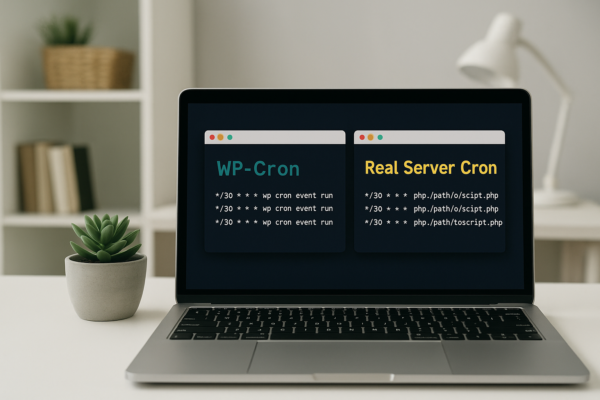
Managing Cron Jobs in WordPress: WP-Cron vs. Real Server Cron
Managing cron jobs in WordPress: how WP-Cron works, why it misses schedules, and how to switch to a real server cron with WP-CLI in 2026.
Nick Quirk
 WordPress Hosting
Can Squarespace Host WordPress? The Straight Answer for 2026
Can Squarespace host WordPress? No, and here's why, plus how to point a Squarespace domain at WordPress hosting and migrate your site cleanly in 2026.
Nick Quirk
[…] Related reading: Hosting Considerations for WordPress Multi-Site (WPMU) Networks. […]