
 Nick Quirk
 Answer Engine Optimization (AEO) is the practice of structuring a site so AI systems can extract a clean, quotable answer from it and credit the source. For WordPress owners, that means rewriting how pages open, adding machine-readable structure, and making sure the server responds fast enough for AI crawlers to finish the job. This guide covers the content patterns, the schema, and the hosting layer that most AEO articles skip.
What AEO Actually Means (and How It Differs From SEO and GEO)
Classic SEO earns a ranked link. AEO earns a sentence inside somebody else’s answer, with your domain attached as the citation. The mechanics overlap heavily, but the unit of success changes from position to inclusion.
- SEO: optimize a page to rank in a list of ten blue links.
- AEO: optimize passages so an answer engine can lift a self-contained response from your page.
- GEO (generative engine optimization): the broader effort to appear across generative surfaces like ChatGPT, Perplexity and Google’s AI Mode. We covered the infrastructure side of that in our piece on how WordPress hosting impacts generative engine optimization.
Google has been blunt that there’s no separate ranking system for AI features, and that its guidance for AI features in Search builds on ordinary technical and content fundamentals. So AEO isn’t a replacement discipline. It’s a stricter version of the one you already practice.
Structure Content So an Answer Engine Can Lift It
Language models chunk pages into passages before they retrieve anything. If a passage only makes sense after reading the three paragraphs above it, it’s a poor candidate for extraction. The fix is writing self-contained blocks.
Lead with the answer, then explain
Put a 40 to 60 word direct answer immediately under every H2 or H3 that poses a question. State the number, the range, or the definition in the first sentence, then add the qualifying context. Our internal testing across client blogs suggests question-form headings with an answer paragraph directly beneath them get cited noticeably more often than narrative sections.
Use headings that match real queries
Write headings the way a person types or speaks: “How much does managed WordPress hosting cost?” beats “Pricing Considerations.” Keep one idea per heading, and keep the nesting shallow, ideally H2 with a single level of H3 underneath.
Break parallel information into lists and tables
Comparisons, steps, specs and criteria should be marked up as real <ul>, <ol> or <table> elements, not as run-on prose with commas. Structured HTML gives retrieval systems clean boundaries, and it’s also what makes a passage readable when it’s pulled out of context.
Keep paragraphs short and specific
Aim for two to four sentences per paragraph and under 80 words. Vague claims rarely get quoted, so replace “fast load times” with “a 0.6 to 1.2 second Largest Contentful Paint on a cached page.”
Schema Markup: The Machine-Readable Layer
Structured data doesn’t guarantee a citation, but it removes ambiguity about what your page is and who wrote it. These are the types worth implementing on almost every WordPress site in 2026:
- Article or BlogPosting with
author,datePublishedanddateModifiedpopulated accurately. - FAQPage on pages with genuine question and answer pairs, following the schema.org FAQPage spec.
- HowTo for procedural content with discrete, ordered steps.
- Organization and Person with
sameAslinks to LinkedIn, Crunchbase or professional profiles, which reinforces entity identity. - Product and Offer for anything transactional, including plan tiers on a pricing page.
- BreadcrumbList so the site hierarchy is explicit rather than inferred.
Most SEO plugins output a usable graph, though many bury key fields. If you’d rather keep the plugin count down, our walkthrough on adding schema markup to WordPress without a plugin shows the function-based approach. And if you’re already worried about bloat, the honest take in our post on traffic plugins applies here too: no plugin manufactures authority.
Related reading: Object Caching in WordPress: Redis vs. Memcached for High-Traffic Sites.
The Gap Nobody Covers: Your Server Is Part of AEO
Almost every AEO guide stops at schema and heading structure. That’s half the picture, because answer engines have to fetch your HTML before they can quote it, and their patience is finite.
Time to first byte decides whether crawlers finish
AI crawlers generally operate on tighter timeouts than Googlebot and, in many cases, they don’t execute JavaScript at all. A page that renders content client-side after a 900ms server response may be invisible to them. We target a TTFB under 200ms from cache and under 600ms uncached, which is achievable on well-configured affordable managed WordPress hosting without enterprise pricing.
Server-rendered HTML beats hydrated HTML
Check your page with JavaScript disabled. If your FAQ accordions, tabbed specs or lazy-loaded body text vanish, an answer engine may never see them. Full-page caching that serves static HTML solves most of this, which is one reason we build on LiteSpeed Cache at the server level rather than through a plugin alone.
Decide deliberately which AI bots you allow
Your robots.txt now governs commercial access, not just indexing. GPTBot, ClaudeBot, PerplexityBot, Google-Extended and CCBot each behave differently, and blocking Google-Extended does not remove you from AI Overviews. Make the call intentionally, then verify it in your access logs rather than assuming.
Version-control your structured data
Schema drift is real: a theme update overwrites a template, and three months of citations quietly disappear. Keeping templates in Git-backed WordPress hosting means every schema change is diffable and revertible.
Strengthening E-E-A-T Signals AI Systems Can Verify
Answer engines weigh source credibility heavily, and they infer it from things they can parse. Named authors with real bio pages, visible publish and update dates, cited primary sources, and consistent entity information across the web all contribute. Vague corporate “admin” bylines actively work against you.
Consistency matters as much as volume. Your business name, address and description should match across your site, your customer reviews, your directory listings and your social profiles, because mismatches weaken entity confidence.
Measuring AEO Without Reliable Reporting
There’s no clean dashboard for AI citations yet, so measurement is triangulated. A practical monthly routine:
- Search Console: watch for impressions rising while clicks flatten, a common AI Overview signature.
- Server logs: track hit counts for GPTBot, PerplexityBot, ClaudeBot and Bingbot to confirm crawler access.
- Referral traffic: segment sessions from chatgpt.com, perplexity.ai and copilot.microsoft.com in analytics.
- Manual prompt testing: run 15 to 25 of your priority queries through two or three assistants and log whether you’re cited.
- Branded query volume: rising branded searches often indicate uncredited AI exposure.
Expect zero-click behavior to increase even when your visibility improves. Judging AEO purely on raw sessions will mislead you.
A 30-Minute WordPress AEO Audit
- Do your top 10 pages answer their core question within the first 100 words?
- Are headings phrased as questions people actually ask?
- Does Rich Results Test show valid Article, FAQPage and Organization schema?
- Does body content still appear with JavaScript disabled?
- Is TTFB under 600ms from three geographic locations?
- Does every post carry a named author and an accurate
dateModified? - Does
robots.txtreflect a deliberate AI crawler policy? - Is your XML sitemap current and submitted?
If several of these fail because of platform limitations rather than content choices, the hosting stack is the bottleneck. That’s the usual reason teams evaluate a WP Engine alternative in the first place.
Frequently Asked Questions
How long does it take to see AEO results?
Most sites see measurable changes in AI citations within 6 to 12 weeks of implementing structural fixes. Schema and answer-first formatting get picked up faster than authority signals, which typically need two to three quarters to compound.
Does AEO replace traditional SEO?
No. Roughly the same crawling, indexing and quality signals feed both, and Google states its AI features draw on existing Search systems. Treat answer engine optimization as an additional formatting and structured-data discipline layered on solid SEO.
Do I need a dedicated AEO plugin for WordPress?
No single plugin is required, and most sites need two at most: an SEO plugin that outputs complete schema, plus caching handled at the server level. Adding five overlapping AEO plugins usually creates duplicate structured data, which is worse than none.
Should I block AI crawlers in robots.txt?
Only if you’re certain you don’t want citations from that platform. Blocking GPTBot or PerplexityBot removes you from those answers entirely, while blocking Google-Extended affects Gemini training but not AI Overviews eligibility.
Does hosting speed really affect AI Overview citations?
It affects whether your content gets retrieved at all, since many AI crawlers time out faster than Googlebot and skip JavaScript rendering. A cached TTFB under 200ms with server-rendered HTML gives every engine a complete document to read.
Want a Hosting Stack That Feeds Answer Engines Properly?
WebVibo serves cached HTML in well under a second, keeps AI crawler access transparent in your logs, and includes free migration if you’re moving from a slower host. Start a 14-day trial or talk to a WordPress specialist about auditing your current setup.
Related Articles
 WordPress SEO
How to Add Meta Keywords in WordPress Without a Plugin (2026 Guide)
Learn how to add meta keywords in WordPress without a plugin using functions.php, custom fields or header.php, plus whether keywords still matter in 2026.
 Nick Quirk
 WordPress SEO
How to Get Your WordPress Website on Google Search in 2026
Get your WordPress website on Google search in 2026: fix indexing blocks, submit a sitemap in Search Console, and speed up crawling with better hosting.
Nick Quirk
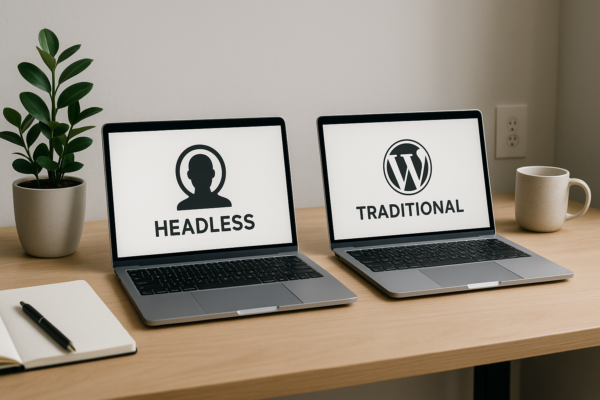 WordPress SEO
Headless WordPress vs. Traditional: Which Architecture is Better for SEO?
Headless WordPress vs traditional WordPress for SEO in 2026: rendering, crawl budget, speed and cost compared, plus how to pick the right architecture.
Nick Quirk
[…] Related reading: Answer Engine Optimization (AEO): Structuring WordPress Sites for AI Overviews. […]
[…] Related reading: Answer Engine Optimization (AEO): Structuring WordPress Sites for AI Overviews. […]