
 Nick Quirk
 Most GEO advice in 2026 stops at content structure and schema, which leaves out the layer that decides whether an AI crawler ever sees your page at all: your hosting. Generative engine optimization depends on fast, uninterrupted, server-rendered responses to bots that behave nothing like Googlebot. Here’s how WordPress hosting quietly makes or breaks your visibility inside AI answers.
GEO in one paragraph
Generative engine optimization (GEO) is the practice of making your content easy for AI systems to fetch, parse, trust and quote. That includes Google’s AI Overviews and AI Mode, ChatGPT search, Perplexity, Claude and Copilot. It overlaps heavily with traditional SEO and with answer engine optimization (AEO), but the retrieval mechanics are different enough that infrastructure matters more than it used to.
The short version: search engines built patient, forgiving crawlers over 25 years. Generative engines did not. They fetch fast, they fetch live, and they move on when a server hesitates.
Why hosting is the under-discussed half of GEO
Every GEO guide you read will tell you to add FAQ schema and write extractable answers. Almost none of them mention that an AI assistant answering a live user question is often making a real-time HTTP request to your origin, with a timeout measured in seconds, not minutes.
We see this pattern constantly in customer logs after migrations. A site that ranks fine in classic search gets skipped by generative engines because its origin server responds in 1.8 seconds under load, or because a security rule silently returns a 403 to an unfamiliar user agent. The content was never the problem.
How AI crawlers actually hit your WordPress site
There are roughly three types of requests reaching your server in 2026, and hosting affects each one differently:
- Training crawlers (GPTBot, ClaudeBot, Google-Extended, Applebot-Extended) that sweep broadly and build the underlying model corpus.
- Index crawlers (OAI-SearchBot, PerplexityBot, Bingbot feeding Copilot) that maintain a searchable index used at answer time.
- Live user-triggered fetches that pull your page in the middle of a conversation, then summarize it in the response.
That third category is the one hosting punishes hardest. OpenAI documents its bot ranges and user agents publicly in its crawler documentation, and Google lists Google-Extended alongside its other agents in the Search Central crawler overview. If your WAF or CDN is blocking any of them by default, you have opted out of generative visibility without knowing it.
Six hosting factors that move GEO outcomes
1. Time to first byte
TTFB is the single clearest hosting-side signal. Google’s guidance on TTFB suggests keeping it under 800ms for good user experience, but for AI retrieval we treat 200ms as the target and 500ms as the ceiling. Uncached WordPress on shared infrastructure frequently sits at 900ms to 2s, which is enough for a live fetch to time out and for your page to be dropped from the citation set.
2. Full-page caching at the edge
Server-level caching turns a database-driven PHP render into a static file served in tens of milliseconds. That’s the difference between being a reliable source and being an occasional one. Our LiteSpeed Cache setup handles this at the server layer rather than in PHP, which matters because plugin-level caching still boots WordPress before it answers.
3. Uptime and consistency
A generative engine that gets a 503 from your site three times in a week starts deprioritizing it as a source. Classic SEO tolerates brief downtime; retrieval systems quietly re-rank around unreliable origins. A 99.99% SLA works out to roughly 4.4 minutes of downtime per month, which is a reasonable floor to hold your host to.
For a closer look at this topic, see our guide: How Shared Hosting Can Negatively Impact Your Search Crawl Budget.
Related reading: Database Optimization: How Your Host Should Manage MySQL/MariaDB.
We cover this topic in more depth in The Impact of Slow Hosting on E-commerce Abandonment Rates.
Related reading: The Truth About "Unlimited Bandwidth" in WordPress Hosting.
We cover this topic in more depth in How to Stress Test Your WordPress Hosting Before a Major Traffic Spike.
For a closer look at this topic, see our guide: TTFB and SEO: Why Your WordPress Host is Your Biggest Ranking Factor.
Related reading: Answer Engine Optimization (AEO): Structuring WordPress Sites for AI Overviews.
4. Bot policy and firewall rules
Aggressive bot mitigation is the most common accidental GEO killer we encounter. Many managed hosts and CDNs now ship with AI crawler blocking enabled by default, sometimes as a marketing feature. Check your robots.txt, your WAF rules and your CDN bot fight settings, then decide deliberately which crawlers you want.
5. Server-rendered HTML
Most AI crawlers do not execute JavaScript, or execute it inconsistently. A heavily client-rendered block theme or a headless setup that hydrates content in the browser will look like an empty shell to them. WordPress has an advantage here, but only if your hosting stack serves complete HTML including your structured data. If you’re hand-rolling markup, our walkthrough on adding schema to WordPress without a plugin keeps it in the server response.
6. Global edge distribution
AI infrastructure fetches from data centers spread across regions, so a single-origin site in Virginia can be slow to a retrieval job running in Europe. A CDN with dense edge coverage flattens that variance and keeps response times predictable regardless of where the request originates.
Content types where this bites hardest
Sites with large archives and frequent publishing feel hosting-driven GEO problems first, because crawl efficiency compounds across thousands of URLs. Publishers running high-volume magazine hosting often have 10,000+ indexable pages, and slow origin responses mean crawlers sample a fraction of them.
Gated content creates a different problem. Course and community sites frequently hide their best material behind logins, so generative engines learn nothing about the depth of what’s there. On course hosting and membership hosting setups, we usually recommend publishing open syllabus pages, lesson summaries and FAQ resources that AI systems can actually read and cite.
A practical GEO hosting checklist
- Measure TTFB from three continents, cached and uncached, and record the worst number.
- Grep your access logs for GPTBot, ClaudeBot, PerplexityBot and OAI-SearchBot, then check the status codes they receive.
- Audit robots.txt and your CDN bot rules for blanket AI-crawler blocks.
- Run curl with JavaScript disabled and confirm your article text and JSON-LD appear in the raw HTML.
- Confirm PHP 8.3 or newer and HTTP/3 are active on the origin.
- Track uptime independently rather than trusting a dashboard, and review incidents monthly.
Numbers two and three catch problems on roughly a third of the sites we audit. They cost nothing to fix.
Mistakes that look like content problems but aren’t
- Plugin bloat inflating render time. Thirty active plugins on a shared plan can add 400ms of PHP execution per request, which pushes live fetches past their patience.
- Stale SSL or mixed-content warnings. Some retrieval clients drop requests on certificate errors outright.
- Redirect chains from old migrations. Each hop adds latency, and some crawlers stop following after two.
- Rate limiting tuned for humans. A crawler pulling 50 URLs a minute trips defenses built for a browsing visitor.
If your platform handles patching and hardening properly, most of these stay solved. Our breakdown of how managed WordPress hosting handles updates and security in 2026 covers what that maintenance layer should include.
Does changing hosts actually help?
Sometimes dramatically, sometimes barely. If your current TTFB is above 1s and your host blocks AI agents by default, a migration produces visible change within a crawl cycle or two. If you’re already at 250ms with clean bot access, the remaining gains are in content structure, not infrastructure. We wrote a fuller answer in our piece on whether switching WordPress hosting improves site speed.
Frequently Asked Questions
Does hosting speed directly affect AI search citations?
Indirectly but measurably: origin responses above roughly 1 to 2 seconds risk timing out during live AI fetches, which removes your page from the candidate set for that answer. Speed doesn’t earn a citation on its own, but slowness reliably prevents one.
Should I block GPTBot and other AI crawlers?
Only if you have a specific licensing or content-protection reason, because blocking them removes you from generative answers entirely. Most publishers in 2026 allow search-oriented agents like OAI-SearchBot and PerplexityBot while making a separate decision about training crawlers.
What TTFB should I target for generative engine optimization?
Aim for under 200ms cached and under 500ms uncached, measured from multiple regions. Anything consistently above 800ms is worth fixing before you spend more time on schema or content formatting.
Is GEO different from traditional SEO?
They share about 70% of their fundamentals: crawlability, clean HTML, structured data, topical depth and credible sourcing. The GEO-specific parts are extractable answer formatting, entity clarity and, on the technical side, tolerance for how impatient AI crawlers are compared with Googlebot.
Does WordPress itself help or hurt GEO?
WordPress helps, mainly because it outputs server-rendered HTML by default and supports structured data cleanly. The variable is hosting: identical WordPress content on a slow, bot-blocking stack performs far worse in AI answers than the same content on a fast, open one.
Want your WordPress site cited, not skipped?
We’ll audit your TTFB, crawler access and cache configuration against what generative engines actually require, then migrate you free if it makes sense. Talk to a WebVibo specialist and we’ll show you the numbers first.
Related Articles
 WordPress Hosting
Can Wix Host WordPress? The Straight Answer for 2026
Can Wix host WordPress? No, and here's why, plus the subdomain workaround, migration steps and how the two platforms compare in 2026.
 Nick Quirk
 WordPress Hosting
Managed WordPress Hosting for Small Business: A Practical Guide
What managed WordPress hosting for small business actually includes, real 2026 pricing, how to size a plan, and the questions to ask before you switch.
Nick Quirk
 WordPress Hosting
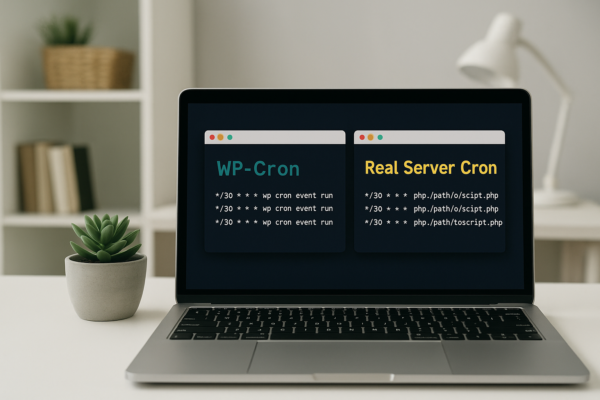
Managing Cron Jobs in WordPress: WP-Cron vs. Real Server Cron
Managing cron jobs in WordPress: how WP-Cron works, why it misses schedules, and how to switch to a real server cron with WP-CLI in 2026.
Nick Quirk
[…] For a closer look at this topic, see our guide: How WordPress Hosting Impacts Generative Engine Optimization (GEO) in 2026. […]
[…] GEO (generative engine optimization): the broader effort to appear across generative surfaces like ChatGPT, Perplexity and Google’s AI Mode. We covered the infrastructure side of that in our piece on how WordPress hosting impacts generative engine optimization. […]
[…] pages do not get cited. If you want your content surfaced in AI answers, read our breakdown of how WordPress hosting impacts generative engine optimization, because server speed is a bigger lever there than most SEO teams […]
[…] The result is brutal on a constrained plan: AI crawlers consume the same limited PHP workers Googlebot needs, so your commercial crawler gets slower responses and quietly reduces its rate. Your visibility in traditional search suffers because of traffic from AI search. If you want that AI visibility without the tax, read our notes on how hosting affects generative engine optimization. […]
[…] TTFB, which is why we treat response time and schema as one project rather than two. Our notes on hosting and generative engine optimization go deeper on that […]