
 Nick Quirk
 No, Wix cannot host WordPress. Wix is a closed, all-in-one website builder that runs its own proprietary software, so there is no way to upload WordPress core files, run PHP or connect a MySQL database inside a Wix account. If you want WordPress, you need a WordPress host, and then you decide what happens to your existing Wix site.
That is the short version. The longer version matters, because a lot of people asking this question actually want a Wix front end with a WordPress blog attached, and there is a legitimate way to get close to that.
Why Wix Can’t Run WordPress
WordPress has real server requirements. According to the official WordPress.org requirements, you need PHP 7.4 or greater, MySQL 8.0 or MariaDB 10.5 or greater, and HTTPS support. Wix gives you none of those things because Wix never exposes the server underneath.
Here is what is missing on a Wix plan:
- No file access. There’s no FTP, SFTP, SSH or file manager, so WordPress core can’t be uploaded.
- No database. Wix stores your content in its own managed data layer, not a database you can point wp-config.php at.
- No PHP runtime. Wix runs on its own stack with Velo (JavaScript) for custom logic, not PHP.
- No plugin architecture. The Wix App Market is curated and closed. WordPress plugins and themes simply won’t install.
- No control panel. There is no cPanel, no one-click installer, no staging environment in the way hosts provide it.
This is the same situation you run into with other builders. We covered the near-identical question in our guide on whether Squarespace can host WordPress, and the reasoning is the same: closed platforms sell convenience, and giving you server access would break their model.
Does Wix Provide WordPress Hosting of Any Kind?
Wix does not sell WordPress hosting, has never sold it, and shows no sign of adding it. What sometimes confuses people is Wix Studio, the agency-focused product launched for teams that used to build client sites in WordPress. Wix Studio is a more flexible website builder with responsive design tools and a headless CMS layer, but it is still Wix, not WordPress.
You’ll also see threads where someone asks about this on Reddit and gets pointed toward “headless” setups. Those setups usually mean running WordPress somewhere else as an API and pulling content into a front end. That is a real pattern, but the WordPress install still lives on a normal host.
The Workaround Most Comparison Articles Skip
If you like your Wix site but want WordPress for content, you can run both at once using DNS. Keep the Wix site on your root domain and put WordPress on a subdomain such as blog.yourdomain.com, hosted with a real WordPress host.
- Set up WordPress on a host and note the IP address or CNAME target they give you.
- Add an A or CNAME record for the subdomain in your Wix DNS settings (or wherever your domain is registered).
- Match the branding with a theme that mirrors your Wix header, colors and navigation so visitors don’t feel a jarring switch.
- Cross-link both properties in the main navigation so crawlers and readers can move between them.
The honest caveat: subdomains are treated as somewhat separate properties by search engines, so link equity doesn’t flow as cleanly as it would in a single install. If SEO is your main goal, one WordPress site at the root domain usually performs better over 12 to 24 months. A CDN and DNS layer in front of everything helps either way, and our Cloudflare guide for WordPress walks through that setup.
Wix vs WordPress: How to Compare Them Honestly in 2026
The “WordPress or Wix, which website platform wins” debate has no universal answer, but the tradeoffs are predictable. WordPress powers roughly 43% of all websites according to W3Techs, which tells you something about ceiling and ecosystem, not about ease.
We cover this topic in more depth in Can Replit Build a WordPress Plugin? The Honest 2026 Answer.
Pricing
Wix plans typically run about $17 to $159 per month in 2026, with everything bundled. Self-hosted WordPress splits costs: hosting from roughly $5 to $50 per month, a domain around $12 to $20 a year, and optional premium plugins or themes. Budget-conscious owners often start with affordable WordPress hosting and add tools as revenue justifies them.
Ease of use
Wix is easier on day one. Drag-and-drop editing, no updates to manage, no plugin conflicts. WordPress has a steeper first week, though block editing and managed hosting have closed most of that gap for anyone willing to spend a few hours learning the dashboard.
Blogging and content
WordPress started as blogging software and still wins on taxonomies, custom fields, revision control, editorial workflows and schema plugins. If publishing is the point of the site, purpose-built WordPress blog hosting gives you room to grow past what Wix’s blog module handles.
Ecommerce, memberships and portfolios
Wix handles a simple store or portfolio well. WordPress with WooCommerce scales further on product counts, checkout customization and integrations. For gated content, courses or recurring billing, a WordPress membership hosting setup gives you control over pricing tiers and drip logic that a builder won’t match.
Ownership
This is the quiet one. On Wix, you can’t export your site to another platform in a usable form. With WordPress, you own the files and the database and can move hosts in an afternoon.
What Is the Downside to Wix?
The biggest downside is lock-in. There’s no clean export path, no server access and no way to take your design with you. Add to that a smaller app ecosystem, template switching restrictions after publishing, and monthly costs that keep climbing as you add business features.
None of that makes Wix a bad product. For a five-page local business site that rarely changes, it’s genuinely fine. The problems show up when the site outgrows the box.
How to Migrate From Wix to WordPress
Migration is manual work, because Wix won’t hand you a database. Most small sites take 4 to 12 hours.
- Import your blog posts using the Wix RSS feed, which WordPress importer plugins can read.
- Recreate static pages by copying text and re-uploading images at full resolution.
- Map old URLs to new ones and set 301 redirects so rankings carry over.
- Point your domain at the new host once the site is built and tested on a staging URL.
- Resubmit your sitemap in Google Search Console and watch coverage for two to four weeks.
Expect a short dip in traffic, usually two to six weeks, before rankings settle. Clean redirects shorten that window considerably.
Frequently Asked Questions
Does Wix provide WordPress hosting?
No. Wix has never offered WordPress hosting and does not support PHP, MySQL or file uploads, which are the three things WordPress needs to run. Wix Studio is often mistaken for a WordPress product, but it is a separate Wix builder with its own CMS.
Which is better for building a website, WordPress or Wix?
WordPress is better for roughly 7 out of 10 business sites, especially anything with heavy content, ecommerce or long-term SEO goals. Wix is the better pick for a simple brochure site you want live this weekend with zero maintenance.
What is the downside to Wix?
The main downside is that you can’t export your site, so switching platforms means rebuilding from scratch. You also give up server access, plugin freedom and the ability to move to a faster host later.
Is WordPress easier to use than Wix?
No, Wix is easier for beginners in the first few weeks, mostly because of its drag-and-drop editor. WordPress becomes easier once a site passes about 20 pages, since bulk editing, templates and content structuring are far stronger there.
Ready to Move Your Site to Real WordPress Hosting?
If you’ve decided Wix isn’t the platform for the next three years of your business, we’ll handle the migration and get your WordPress site running on LiteSpeed-backed infrastructure. Pick a plan or talk to a specialist at WebVibo and we’ll map out the move.
Related Articles
 WordPress Hosting
How to Monitor WordPress PHP Error Logs on the Server
Learn how to monitor WordPress PHP error logs on the server: find the log file, enable WP_DEBUG_LOG safely, tail errors live over SSH and set retention.
 Nick Quirk
 WordPress Hosting
How Automated Daily Backups Save WordPress Agencies Thousands
See how automated daily backups save WordPress agencies thousands in rebuild hours, malware cleanup fees and lost retainers, plus a restore checklist for 2026.
Nick Quirk
 WordPress Hosting
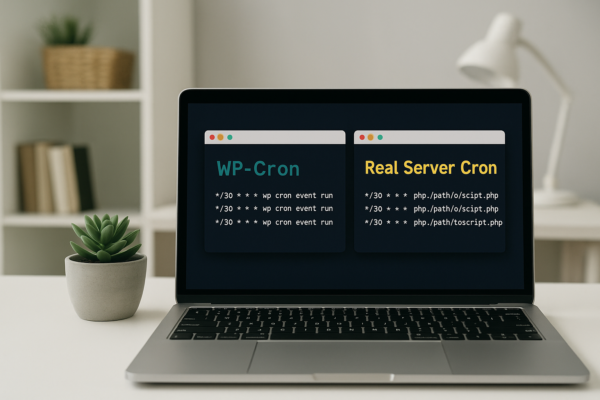
Managing Cron Jobs in WordPress: WP-Cron vs. Real Server Cron
Managing cron jobs in WordPress: how WP-Cron works, why it misses schedules, and how to switch to a real server cron with WP-CLI in 2026.
Nick Quirk
[…] We cover this topic in more depth in Can Wix Host WordPress? The Straight Answer for 2026. […]
[…] Replit deployments are built for apps Replit understands: a Node server, a Python API, a static front end. A WordPress site needs PHP-FPM, MySQL or MariaDB, persistent file storage for uploads, and a web server configured for WordPress rewrite rules. Replit is not designed to be that host, which is the same conclusion we reached about running WordPress on Netlify and about whether Wix can host WordPress. […]