
 Nick Quirk
 Short answer: Netlify cannot host WordPress the way a normal web host does, because Netlify does not run PHP or MySQL. What Netlify can do is serve a static copy of your WordPress site, or serve a front end that pulls content from WordPress over an API. Those are two very different setups, and only one of them makes sense for most site owners.
We get asked this a lot, usually by someone who read a Reddit thread about a 40ms load time and got curious. So here is the honest version, including the parts the tutorials skip.
What Netlify Actually Is
Netlify is a deployment and delivery platform for static files and serverless functions. You connect a Git repository, Netlify builds your project, and the output gets pushed to a global edge network. It is genuinely excellent at that job.
What it does not provide is the runtime WordPress needs. WordPress.org lists PHP 7.4 or greater and MySQL 8.0 or MariaDB 10.5 or greater as minimum requirements, plus a persistent filesystem for uploads. Netlify offers none of those as a long-running service, so wp-admin simply has nowhere to live.
Does Netlify host websites? Absolutely, millions of them. It just hosts a category of website that WordPress does not belong to by default.
The Two Real Ways to Use Netlify and WordPress Together
1. Static export (the WordPress-to-Netlify pipeline)
You keep WordPress running somewhere private, then use a plugin like Simply Static, WP2Static or a service such as Strattic or Static Studio to crawl the site and export flat HTML, CSS and images. Those files get committed or pushed to Netlify, which serves them.
The editing experience stays familiar because you are still writing in the WordPress block editor. Publishing changes, though, now means triggering a build and waiting. Small sites rebuild in under a minute; a 3,000-page archive can take 10 to 40 minutes depending on the exporter.
2. Headless WordPress
Here WordPress becomes a content API only, exposed through the REST API or WPGraphQL, while a Next.js, Astro or Eleventy front end lives on Netlify. Smashing Magazine’s well-documented move is the classic case study, and it worked because they had engineers on staff.
This route gives you real control over performance and markup. It also means you now maintain two codebases, two deploy pipelines and a whole rendering layer that themes used to handle for free. It is closer to the tradeoffs we covered in our look at whether you can host WordPress on Vercel, since both platforms share the same fundamental constraint.
What Breaks When You Go Static
This is the part that surprises people three weeks in. A static build has no PHP executing on request, so anything dynamic needs replacing with a third-party service or a serverless function you write yourself.
We cover this topic in more depth in Can Wix Host WordPress? The Straight Answer for 2026.
We cover this topic in more depth in Can Squarespace Host WordPress? The Straight Answer for 2026.
- Contact forms stop submitting. Netlify Forms handles simple cases, with the free tier capped at 100 submissions per month at last check.
- Native comments are gone. You move to Disqus, Giscus or a hosted equivalent.
- WordPress search dies, since it is a database query. You bolt on Algolia, Pagefind or Lunr.
- WooCommerce is effectively off the table. Carts, checkout, stock levels and account pages all need live PHP and sessions.
- Membership and course sites break in the same way, because gated content depends on server-side authentication.
- Scheduled posts will not publish themselves unless something triggers a rebuild at the right moment.
- Plugin previews may render fine in admin and then vanish from the export if they rely on AJAX.
If your site is an ecommerce store or a paid community, the honest recommendation is to stop here and look at proper WooCommerce hosting instead. Static delivery and shopping carts are a bad marriage.
Is Netlify Better Than WordPress?
They are not competitors, which is why this question keeps producing confused answers. Netlify is infrastructure; WordPress is a content management system. The fair comparison is Netlify plus a static generator versus WordPress plus a managed WordPress host.
On raw first-byte speed for anonymous visitors, a well-built static site on an edge network usually wins by a small margin. On everything else, plugins, editorial workflow, roles and permissions, ecommerce, forms, search, hiring, WordPress on real hosting is far less work. And modern caching narrows the speed gap more than people expect, which is something we broke down in what actually changes when you switch WordPress hosting.
Worth noting: Google’s Core Web Vitals thresholds ask for Largest Contentful Paint under 2.5 seconds. A properly cached WordPress site with a CDN clears that comfortably. You do not need a static rebuild to pass.
The Costs Nobody Puts in the Tutorial
“Netlify WordPress free” is a popular search, and the free tier is real: 100GB bandwidth and 300 build minutes per month. The hidden expense is everywhere else.
- You still pay to host WordPress. The admin has to run somewhere, even if it is a private staging box, so you are paying for two environments instead of one.
- Build minutes get expensive on content-heavy sites. Publishing 15 times a day on a large archive burns through 300 minutes fast.
- Managed static services for WordPress typically start around $60 to $250 per month, well above most managed WordPress plans.
- Developer time is the real line item. Budget 20 to 60 hours for an initial headless build, then ongoing maintenance when a dependency updates.
There is also an analytics blind spot. Server-side logging and many WordPress reporting plugins stop working once PHP is out of the request path, so you rebuild that layer too. Sites that depend on hosting-level WordPress analytics for traffic and performance data tend to feel that loss quickly.
Who Should Actually Do This
Static WordPress on Netlify is a reasonable choice in a few specific situations:
- Documentation or marketing sites with no forms, search or logged-in users.
- Campaign microsites that publish once and then sit still for months.
- Teams with in-house front-end developers who want full control of the rendering layer.
- High-risk targets where removing the public PHP surface is a security decision, not a speed one.
For a publication pushing 20 articles a week, an optimized magazine hosting setup beats a rebuild queue every time. Same story for portfolio and studio sites, where hosting built for creatives handles large media libraries without a build step in the middle.
Where Can I Host My WordPress Site Instead?
Anywhere that runs PHP and MySQL, which covers shared hosting, VPS, cloud instances and managed WordPress platforms. Managed WordPress hosting is the closest thing to the Netlify experience without the tradeoffs: edge caching, automatic SSL, staging, Git deploys and daily backups, with wp-admin still working normally.
If the appeal of Netlify was the deploy workflow rather than static output, look for a host with Git-based WordPress deployments. You get version control and push-to-deploy while keeping plugins, forms and search intact.
Frequently Asked Questions
Can I host my WordPress site on Netlify?
Not a standard WordPress install, no, because Netlify runs no PHP and no MySQL database. You can serve a static export of your WordPress content, or a headless front end that fetches posts from a WordPress API hosted elsewhere.
What are the limitations of Netlify?
The main limits are no PHP runtime, no persistent database, no writable filesystem, and a free tier capped at 100GB bandwidth plus 300 build minutes per month. Serverless functions also have execution time limits, typically 10 seconds on standard invocations, which rules out long-running tasks.
Can Netlify host a backend?
Partially, through serverless functions and edge functions rather than a persistent application server. That works for API endpoints and form handling, but not for a stateful CMS like WordPress that expects a database connection on every request.
Does going static make WordPress faster?
Usually by 100 to 400 milliseconds on first byte versus uncached PHP, though good page caching plus a CDN closes most of that gap. Image weight, third-party scripts and render-blocking CSS affect real-world scores far more than the hosting model does.
Want the speed without the rebuild queue?
If Netlify caught your eye because you want edge delivery and a clean deploy workflow, we can give you both on a platform where WordPress still behaves like WordPress. Talk to our team and we will look at your current setup, then tell you honestly whether static, headless or managed hosting fits your site.
Related Articles
 WordPress Hosting
The Core Web Vitals Checklist: Why Your Hosting is the Secret to Google Rankings
As an SEO tactic in today’s world, there has come a close companion to “content is king.” It is called User Experience (UX). Your website could have the smartest blog…
 WebVibo
 WordPress Hosting
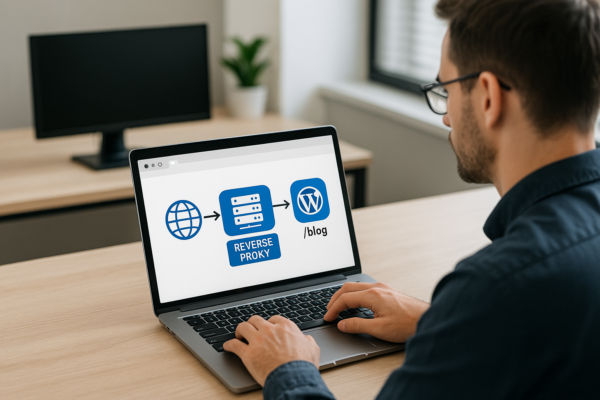
Setting up Reverse Proxies for Subfolder WordPress Blogs (e.g., app.com/blog)
How to set up a reverse proxy so your WordPress blog runs at app.com/blog: Nginx config, wp-config settings, Cloudflare options, and the redirect loops to avoid.
 Nick Quirk
 WordPress Hosting
Can Wix Host WordPress? The Straight Answer for 2026
Can Wix host WordPress? No, and here's why, plus the subdomain workaround, migration steps and how the two platforms compare in 2026.
Nick Quirk
[…] rules. Replit is not designed to be that host, which is the same conclusion we reached about running WordPress on Netlify and about whether Wix can host […]
[…] Related reading: Can Netlify Host WordPress? The Straight Answer for 2026. […]