
 Nick Quirk
 If you’re asking why does WordPress keep crashing, the honest answer is that WordPress rarely breaks on its own: something is hitting a ceiling, conflicting, or timing out underneath it. Repeat crashes almost always trace back to four causes: a PHP resource limit, a plugin or theme conflict, a failed or partial update, or a server that can’t keep up with traffic. The trick is reading the error signature before you start changing things.
We host over two million WordPress sites, and the pattern holds: sites that crash weekly usually have one unresolved bottleneck, not ten random gremlins. Here’s how to find yours.
Step one: identify which kind of crash you actually have
“Crashing” describes at least five different failures, and each points to a different layer of the stack. Before touching plugins, look at what the browser and server are telling you.
- White screen of death (blank page, no error): a fatal PHP error with display_errors off. Usually a plugin, theme, or an exhausted PHP memory limit.
- HTTP 500 Internal Server Error: PHP failed hard, or your .htaccess file is malformed. Check the error log first.
- Error establishing a database connection: MySQL is down, out of connections, or your credentials in wp-config.php changed after a migration.
- 502 / 503 / 504 gateway errors: the server is alive but PHP workers are saturated or a request exceeded the execution timeout (often 30 to 60 seconds).
- Intermittent slowness that ends in a timeout: that’s usually a resource problem, not a code bug, and it’s the most misdiagnosed of the group.
Turn on logging before you guess. Setting WP_DEBUG and WP_DEBUG_LOG to true in wp-config.php writes a timestamped debug.log to /wp-content/, which is documented in the official WordPress debugging guide. Read the last ten lines of that file and you’ll usually see the offending file path.
The most common real cause: resource ceilings, not bad code
Most shared hosting accounts cap PHP memory somewhere between 128 MB and 256 MB, and a page builder plus WooCommerce plus a backup plugin can walk past that on a single admin request. When memory runs out, PHP dies mid-render and you get a white screen.
The limits that break WordPress sites most often:
- PHP memory_limit: 128 MB is thin for anything modern. 256 MB to 512 MB is a sane working range for commerce, membership, or LMS sites.
- PHP workers: each worker handles one uncached request at a time. With 2 workers and a checkout page that takes 1.5 seconds, you can only serve about 80 concurrent shoppers before queueing turns into 504s.
- max_execution_time: long imports, migrations and cron-driven jobs die at 30 seconds unless raised.
- MySQL max_connections: traffic spikes on uncached pages exhaust connections and produce the database connection error.
- Entry processes / CPU quota: cheap plans throttle you silently, and the site “crashes” only during your busiest hour.
This is why caching matters more than most people think. Serving cached HTML from LiteSpeed Cache keeps requests away from PHP and MySQL entirely, so the same server handles roughly ten times the traffic without hitting a worker queue.
Plugin and theme conflicts: isolate, don’t guess
Plugins do cause crashes, but “too many plugins” is lazy advice. Forty lightweight plugins can be fine, while two badly written ones that both hook into init and query the options table can take a site down. The number matters less than what each one does on every page load.
Isolate methodically, ideally on a staging copy rather than production:
For a closer look at this topic, see our guide: Why Does My WordPress Site Keep Getting Hacked? Breaking the Reinfection Loop in 2026.
Related reading: How Do I Duplicate a Page in WordPress? 4 Methods for 2026.
- Rename /wp-content/plugins/ to plugins-off via SFTP or your file manager. If the site returns, a plugin is guilty.
- Rename it back, then deactivate plugins in halves rather than one by one. Binary search finds the culprit in about five steps instead of thirty.
- Switch to a default theme (Twenty Twenty-Five) to rule out theme code and outdated function calls.
- Check that the failing plugin has been updated in the last 12 months. Abandoned code and modern PHP versions are a bad mix.
- Re-enable one at a time and watch debug.log after each activation.
Site types with heavy front-end logic feel this most. Learning platforms, for example, run enrollment queries on nearly every request, which is why purpose-built WordPress course hosting allocates more workers than a brochure-site plan ever would.
Updates, outdated PHP and half-finished installs
A site can crash the moment an update lands, and the reason is usually version drift. If the WordPress core is current but a theme still calls a function removed years ago, the fatal error surfaces immediately after upgrading.
Three update-related failure modes to check:
- Outdated PHP: anything on PHP 7.4 or older is unsupported and increasingly incompatible. Moving to PHP 8.2 or 8.3 fixes crashes and typically cuts response time noticeably. Our notes on PHP versions for WordPress hosting cover the upgrade order.
- Interrupted updates: a connection drop mid-update leaves a partial plugin folder and a stuck .maintenance file. Delete that file from the root to clear the maintenance screen.
- Corrupted core files: re-upload fresh wp-admin and wp-includes folders from WordPress.org, leaving wp-content and wp-config.php untouched.
When your host is the real problem
Some crashes aren’t yours to fix. If uptime monitoring shows outages you can’t reproduce, or every ticket answer is “clear your cache,” the infrastructure is the issue. WordPress powers roughly 43% of all websites according to W3Techs, so hosts have no excuse for not tuning for it.
Warning signs that point at hosting rather than your site:
- 504 errors that appear at the same time each day, matching your traffic peak.
- Neighbors on the same server consuming CPU (common on oversold shared plans).
- No access to error logs, staging, or PHP version controls.
- Backups that exist but can’t be restored in minutes.
High-traffic publishers hit these walls first, which is why WordPress magazine hosting is built around edge caching and burst capacity. Portfolio and studio sites have a different profile: big media libraries and heavy image processing, handled better by hosting for creatives. And if you’re still weighing platforms, our explainer on whether WordPress hosts websites itself clears up where the responsibility actually sits.
How to stop the crashes from returning
Fixing one crash is maintenance. Keeping the site stable is a routine, and it’s short.
- Keep daily automated backups with one-click restore, tested at least once a quarter.
- Apply updates on staging first, then push to production.
- Set memory to 256 MB or higher and run a current PHP 8.x release.
- Audit plugins twice a year and remove anything abandoned or duplicated.
- Run uptime monitoring at one-minute intervals so you learn about downtime before your readers do.
- Keep full-page caching and a CDN active so traffic spikes never reach PHP.
Stability also protects rankings, since repeated downtime and slow responses feed straight into Core Web Vitals. We covered that relationship in more detail in our take on whether WordPress is good for SEO.
Frequently Asked Questions
Is WordPress a dying platform?
No. WordPress runs about 43% of all websites in 2026 and roughly 60% of the CMS market, a share that has stayed remarkably steady for years. Adoption has slowed compared with its explosive growth decade, but the install base, plugin economy and contributor community are all still growing.
Is there something wrong with WordPress today?
If your site is down but WordPress.org loads fine, the problem is almost certainly local to your install or host, not global. Check your host’s status page first, then your debug.log, then a third-party outage tracker before assuming a platform-wide issue.
Is WordPress outdated in 2026?
No, though individual installs often are: a large share of sites still run PHP versions that reached end of life. Core has shipped block editing, a full site editor and REST-first architecture, so the software is current even when a given site’s themes and plugins are not.
Why is my website always crashing?
In most repeat cases it’s one unresolved bottleneck, usually a PHP memory limit under 256 MB or too few PHP workers for your traffic. Read the last entries in your error log, reproduce the crash on staging, and fix the ceiling rather than restarting the site each time.
Want your WordPress site to stop going down?
Our team reads your logs, tunes the PHP and caching layer, and migrates you free, so the crash you fixed this week doesn’t come back next month. Compare plans on WebVibo pricing or talk to a WordPress specialist through our 24/7 support team.
Related Articles
 WordPress Hosting
Migrating from GoDaddy to Premium Managed WordPress Hosting
A step-by-step look at migrating from GoDaddy to premium managed WordPress hosting in 2026: audit, cutover, DNS timing and what changes after the move.
 Nick Quirk
 WordPress Hosting
How to Move a WordPress Site to a New Host in 2026 (Step-by-Step)
Learn how to move a WordPress site to a new host without downtime or data loss. Step-by-step guide covering plugins, manual migration, and DNS.
Nick Quirk
 WordPress Hosting
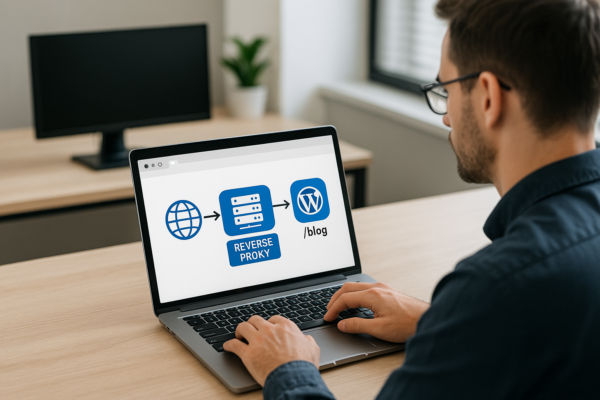
Setting up Reverse Proxies for Subfolder WordPress Blogs (e.g., app.com/blog)
How to set up a reverse proxy so your WordPress blog runs at app.com/blog: Nginx config, wp-config settings, Cloudflare options, and the redirect loops to avoid.
Nick Quirk