
 Nick Quirk
 No, Squarespace cannot host WordPress. Squarespace is a closed, all-in-one website builder that runs its own proprietary software, so there’s no way to upload WordPress files, run PHP, or connect a MySQL database on it. What you can do is keep your domain registered with Squarespace and point it at a real WordPress host, which is the setup most people actually want when they ask this question.
Below we’ll cover why the platforms are incompatible at a technical level, what parts of a Squarespace website survive a move, and the practical steps to get WordPress running on your existing domain.
Why Squarespace Can’t Run WordPress
WordPress is server software. To run it, you need somewhere that gives you PHP 8.x, a MySQL or MariaDB database, and file-level access to install themes and plugins, which is exactly what the official WordPress.org requirements spell out.
Squarespace gives you none of those. It’s a managed, sandboxed platform where the code, database, and server layer are entirely off-limits to customers. You get their editor, their blocks, and their template system, and that’s the deal.
Three specific walls stop any workaround:
- No file uploads or FTP/SFTP. You can’t drop a WordPress install into a Squarespace account, and there’s no cPanel or SSH.
- No database access. WordPress stores every post, user, and setting in a relational database that Squarespace doesn’t expose.
- No server-side code execution. Squarespace permits custom CSS and some JavaScript injection on higher plans, but PHP never runs.
People sometimes assume a code injection block could load WordPress in a frame. It can’t, at least not in any way that produces a functioning, indexable site with a working admin dashboard.
The Confusion: Squarespace vs WordPress.com vs Self-Hosted WordPress
A lot of the muddle here comes from WordPress existing in two flavours. WordPress.com is a hosted service run by Automattic, closer in spirit to Squarespace, with tiered plans and limited plugin access below the Business tier.
WordPress.org software, the version you install yourself, is free and open source. It needs a host, and that host is where performance, security, and plugin freedom actually get decided. If the distinction still feels fuzzy, our breakdown of self-hosted WordPress lays out what changes when you own the install.
The same incompatibility applies to other closed platforms. We wrote a similar answer about whether Netlify can host WordPress, and the reasoning is close to identical: static or proprietary platforms can’t run a dynamic PHP application.
What Squarespace Can Do: Hold Your Domain
Here’s the part most guides bury. Squarespace is an ICANN-accredited domain registrar, so you can leave your domain exactly where it is and simply repoint the DNS records to a WordPress host.
That means no domain transfer, no 60-day registrar lock, no risk of losing the name mid-move. You edit the records inside Squarespace’s DNS settings and the domain starts resolving to your new server, usually within 15 minutes to 4 hours, occasionally up to 48 hours for full global propagation.
We cover this topic in more depth in Can Wix Host WordPress? The Straight Answer for 2026.
The typical setup looks like this:
- An A record for the root domain pointing to your WordPress host’s IP address.
- A CNAME record for the www subdomain pointing to your host’s hostname.
- MX records left untouched if you’re running Google Workspace or similar email on that domain.
Worth noting: Squarespace’s free domain is only free for the first year and only when it’s bundled with an annual paid plan. Once you cancel the Squarespace subscription, renewal runs at standard registrar pricing, generally $20 to $25 a year for a .com in 2026.
What Actually Transfers When You Migrate From Squarespace to WordPress
This is where competitors under-serve the question. Squarespace’s export tool produces a WordPress-compatible XML file, but it’s partial, and knowing the gaps in advance saves a weekend of rebuilding.
According to Squarespace’s own export documentation, the export includes one blog page, basic pages, text blocks, image blocks, galleries, and embed blocks. What it leaves behind:
- Product pages and store data, which need a separate CSV export into WooCommerce.
- Index pages, album pages, and event pages, all of which have to be rebuilt manually.
- Custom CSS, folders, and style settings, since your new theme handles design anyway.
- Audio blocks, video blocks, and product blocks embedded inside posts.
- Form submissions and member area content, which have no direct WordPress equivalent in the export.
If you run courses or a members-only area, plan on rebuilding that layer with a plugin. Our guide to WordPress course hosting covers what LearnDash or LifterLMS need from a server, since those setups are noticeably heavier than a brochure site.
How to Move From Squarespace to WordPress: The Practical Steps
The order matters. Building first and switching DNS last keeps your live site online the entire time.
- Buy WordPress hosting and install WordPress on a temporary URL or staging domain. Most managed hosts do the install in under 5 minutes.
- Export your Squarespace content from Settings, then Import & Export, and download the .xml file.
- Run the WordPress Importer under Tools, then Import. Tick the box to download and import file attachments so images move across.
- Rebuild what didn’t transfer, then map your old URLs. Squarespace blog posts often use a dated slug structure, so set up 301 redirects for anything that changes.
- Update the DNS records in Squarespace, install an SSL certificate, and confirm the site loads on HTTPS before you cancel the old subscription.
Give yourself a week of overlap on both subscriptions. Cancelling Squarespace the same day you switch DNS is how people end up with a half-propagated domain and no fallback.
Cost and Control: The Real Trade-Off
Squarespace plans in 2026 run roughly $16 to $52 per month billed annually, depending on tier and whether you need commerce features. That price is all-inclusive: hosting, templates, SSL, and support in one bill.
Self-hosted WordPress splits those costs. Hosting typically runs $10 to $40 monthly for a small business site, a premium theme costs $50 to $100 once, and plugins range from free to a few hundred a year. The total often lands close to Squarespace, so the real argument isn’t price, it’s control.
With WordPress you choose your caching layer, your PHP version, your database, and your plugin stack. That freedom does come with responsibility, which is why we explain which plugins managed WordPress hosting allows before people migrate expecting a total free-for-all.
On SEO, both platforms can rank. WordPress wins on flexibility (schema control, redirect management, technical plugins like Yoast or Rank Math), while Squarespace handles the basics competently but caps how deep you can go. For content-heavy sites and lead generation, business WordPress hosting gives you the server-level speed that Core Web Vitals reward.
Frequently Asked Questions
Is it better to use Squarespace or WordPress?
WordPress powers roughly 43% of all websites and wins on flexibility, plugins, and long-term ownership, while Squarespace wins on speed of setup for a simple site. Choose Squarespace if you want a polished five-page site live this weekend with zero maintenance. Choose WordPress if you plan to grow content, add functionality, or ever move hosts.
What are the disadvantages of Squarespace?
The three biggest drawbacks are no plugin ecosystem, limited export options, and total platform lock-in. You can’t install third-party extensions, your export skips product pages and index pages, and you can’t move the site itself to another host because the underlying code isn’t yours. Pricing also scales in fixed tiers rather than by actual resource use.
Does Squarespace host domains for free?
Squarespace includes a free domain for the first year on annual plans, then charges standard renewal rates of about $20 to $25 per year for most .com names. The domain stays yours regardless of your hosting choice, and you can keep it registered with Squarespace while pointing it at a WordPress host through DNS.
Does Squarespace allow hosting?
Squarespace hosts Squarespace sites only, on its own infrastructure, with no option to upload or run outside software. There’s no cPanel, FTP, database access, or PHP environment, so third-party applications like WordPress, Drupal, or Laravel can’t be installed. It’s hosting in the sense that your site is online, not in the sense that you control a server.
Can I transfer my Squarespace website to another host?
You can transfer your content and your domain, but not the site itself. The XML export moves posts, pages, text, and images into WordPress, while design, custom code, and commerce data need rebuilding. Most small sites take 4 to 12 hours of work, and many hosts will handle the technical side of a WordPress migration for free.
Ready to Run WordPress on Your Own Domain?
Keep your domain wherever it’s registered and let us handle the WordPress side, including the import, the redirects, and the DNS cutover. Start a 14-day trial with WebVibo or talk to a specialist about moving your Squarespace content across without downtime.
Related Articles
 WordPress Hosting
TTFB and SEO: Why Your WordPress Host is Your Biggest Ranking Factor
How TTFB and SEO connect in 2026, what a good server response time looks like, and why your WordPress host controls most of your ranking speed.
 Nick Quirk
 WordPress Hosting
Does Switching WordPress Hosting Improve Site Speed? What Actually Changes in 2026
Does switching WordPress hosting improve site speed? Usually yes, but only the server-side share. Here's how to measure your real gain before you migrate.
Nick Quirk
 WordPress Hosting
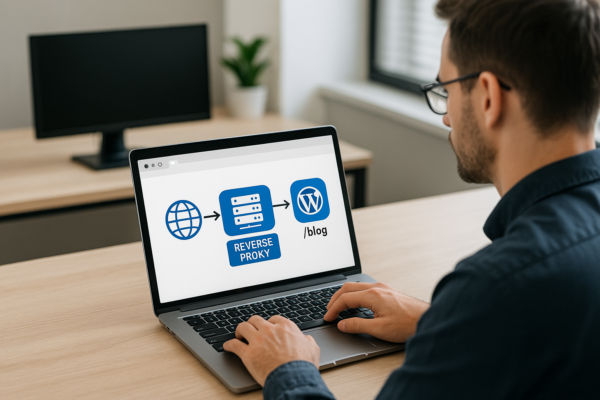
Setting up Reverse Proxies for Subfolder WordPress Blogs (e.g., app.com/blog)
How to set up a reverse proxy so your WordPress blog runs at app.com/blog: Nginx config, wp-config settings, Cloudflare options, and the redirect loops to avoid.
Nick Quirk
[…] you run into with other builders. We covered the near-identical question in our guide on whether Squarespace can host WordPress, and the reasoning is the same: closed platforms sell convenience, and giving you server access […]