
 Nick Quirk
 A portfolio of 50 client sites running 20 plugins each means 1,000 plugin installs, and at roughly eight releases per plugin per year, that is close to 8,000 individual update events annually. Doing that one WP Admin login at a time is where agency margin quietly disappears. Bulk managing WordPress plugins across 50+ client sites works when you treat it as a release process with inventory, batching and rollback, not as a weekly chore you push through on a Friday afternoon.
Start with a plugin inventory, not a dashboard
Most agencies buy a management tool first and discover the mess second. Before connecting anything, export a full list of every plugin on every site, with version, author, last-updated date and whether it is actually doing something. We usually find that a 50-site portfolio has 180 to 250 unique plugins installed, and fewer than 60 of them are deliberate choices.
Sort that list into four buckets:
- Core stack: the 8 to 12 plugins you install on purpose, on nearly every build.
- Client-specific: booking, CRM connectors, payment gateways that only a few sites need.
- Inherited: whatever the previous developer left behind, often abandoned or duplicated in function.
- Dead weight: deactivated plugins still sitting in the filesystem, which still carry vulnerable code.
Deleting the fourth bucket usually removes 15 to 25 percent of your update surface in an afternoon. That is the cheapest performance and security win available to a maintenance team.
Standardize the stack so bulk actions mean something
Bulk updates only scale if the sites resemble each other. When every build shares the same caching plugin, the same forms plugin and the same SEO plugin, one compatibility test covers 50 sites instead of one. Divergence is what forces manual review.
Push as much as you can down to the server instead of into the plugin directory. Caching, image optimization, SSL renewal, malware scanning, CDN delivery and off-site backups are all better handled at the platform layer, and every one you move off the site is one less plugin to update, license and debug. Agencies running membership sites or heavy editorial builds tend to see the biggest reduction, because those stacks accumulate add-ons fastest.
Write the standard down. A one-page approved-plugin list, reviewed quarterly, stops account managers from promising a client some random plugin that nobody on the team has ever patched.
The tooling landscape in 2026
There are four realistic ways to manage multiple WordPress installs at scale, and they suit different agency shapes:
- MainWP: self-hosted, free at the core, unlimited sites. You run the dashboard yourself, which means you own the data and the uptime of your own control panel.
- ManageWP: cloud-based, free for updates and basic monitoring, with paid add-ons billed per site (usually a couple of dollars each per month).
- WP Umbrella, mySites.guru, InfiniteWP: mid-market options that lean harder into monitoring, PHP error logs and client reporting.
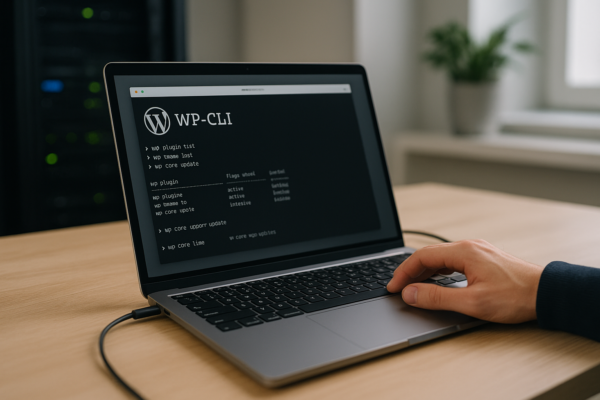
- WP-CLI plus a script runner: the developer route.
wp plugin update --allacross an inventory file is fast, free and scriptable, and it pairs well with Git-based deployment.
The Reddit consensus among agency owners has been stable for years: MainWP for cost control at high site counts, ManageWP for teams who do not want to maintain another server, WP-CLI for anyone already comfortable in a terminal. None of these downloads solve process problems. A bad update workflow just breaks 50 sites faster.
If you are still weighing control panels against a unified dashboard, our comparison of managing multiple WordPress sites in a single dashboard versus cPanel covers the tradeoffs in more detail.
For a closer look at this topic, see our guide: Moving from Medium to WordPress: A Complete Migration Guide.
We cover this topic in more depth in Moving a Localhost WordPress Site (XAMPP/Local) to a Live Server.
We cover this topic in more depth in How to Migrate from Ghost to WordPress.
Roll updates out in rings, never all at once
The single biggest improvement you can make is refusing to click “update all sites” as a first move. Borrow the release-ring model from software deployment and split your portfolio into waves.
- Ring 0 (day 1): your own agency site plus two or three low-traffic clients. Update everything, then check the front page, checkout, forms and any custom templates.
- Ring 1 (day 2 to 3): roughly 30 percent of the portfolio, chosen for stack similarity to Ring 0.
- Ring 2 (day 4 to 7): everything else except the revenue-critical builds.
- Ring 3 (weekly window): ecommerce, membership and booking sites, updated on staging first with a visual regression check.
Holding a 24 to 72 hour delay on non-security updates catches most bad releases, because plugin authors typically ship a hotfix within a day when something breaks widely. Security patches skip the queue: those go out the same day, and the official plugin management documentation is worth reading if your team is still fuzzy on auto-update behaviour. For the mechanics of automating this safely, see our walkthrough on safe implementation workflows for automated core and plugin updates.
Licenses are the failure point nobody budgets for
Premium plugins do not update when the license key lapses, and a lapsed key on a security-sensitive plugin is a breach waiting to happen. At 50 sites you might be holding 15 to 40 separate licenses across a dozen vendors, each renewing on its own date.
Keep a shared sheet or a field in your project management tool with vendor, key, sites covered, renewal date, annual cost and who pays. Agency-tier licenses (unlimited-site plans) usually break even somewhere between 8 and 20 installs, so recheck the maths each renewal cycle. If clients pay for their own keys, log that clearly, otherwise your team will be chasing credit cards at the worst possible moment.
Pricing this properly matters too, and our guide on pricing WordPress maintenance for agency clients gets into recovering those license costs.
Backups, rollback and the 10-minute recovery test
Bulk actions fail in bulk. Before any ring goes out, confirm that a restore point exists for every site in that wave, taken within the last few hours. Most management dashboards can trigger a pre-update snapshot automatically, and platform-level daily backups give you a second line of defence.
Once a quarter, pick a random client site and actually restore it to a staging URL. Time it. If recovery takes longer than 10 minutes, your process has a gap, and you will find it under pressure otherwise. Rollback also means keeping the previous plugin version files, since not every vendor keeps old releases publicly downloadable.
Report it, or clients assume nothing happened
Maintenance is invisible work. A monthly PDF listing plugins updated, vulnerabilities patched, uptime percentage and backup count turns 40 minutes of scripted work into something a client can see and value. Most dashboards generate these automatically once branded.
Set the expectations early: what you patch, how fast, what counts as an emergency, and what happens when an update breaks a page builder layout. We cover the conversation itself in setting client expectations for WordPress uptime and maintenance. Agencies serving designers and creative studios often find the report is what justifies the retainer at renewal time.
Frequently Asked Questions
Why are people moving away from WordPress?
Most agencies are not: WordPress still powers about 43 percent of all websites according to W3Techs usage data. The teams that do leave usually cite plugin sprawl, maintenance overhead and editor changes, which is exactly what standardizing a core stack and automating updates is meant to fix.
Is WordPress outdated in 2026?
No. The platform ships two to three major releases a year, supports modern PHP 8.x, full site editing and REST-driven headless builds. What feels outdated is usually a specific site running a 2018 theme and 30 abandoned plugins, not the CMS itself.
Can WooCommerce handle 50,000 products?
Yes, with the right infrastructure: stores with 50,000 to 100,000 SKUs run fine on WooCommerce when you use High-Performance Order Storage, object caching and a database tuned for the catalogue size. Shared hosting will struggle long before WooCommerce does.
What are the top 5 WordPress plugins?
By active installs, the most common are Yoast SEO, Elementor, Contact Form 7, WooCommerce and Wordfence, each sitting in the 5 to 10 million install range. For an agency core stack, though, pick by update cadence and vendor track record rather than popularity alone.
Is there a free way to manage plugins across 50 sites?
Yes. MainWP’s self-hosted dashboard and ManageWP’s free tier both handle bulk plugin updates across unlimited sites at no cost, and WP-CLI is free and scriptable. You pay for the extras: backups, uptime monitoring, white-label reporting.
Managing more sites than hours in the week?
Moving caching, security, backups and CDN delivery to the hosting layer cuts the plugin count on every site you manage, which makes bulk updates faster and far less risky. Talk to our team about an agency setup, or look at how our WordPress hosting plans handle multi-site portfolios.
Related Articles
 WordPress Management
WP-CLI: The Command Line Guide for WordPress Server Management
Learn WP-CLI for WordPress server management in 2026: install steps, core commands, SSH aliases, Docker use and safe automation guardrails.
 Nick Quirk
[…] We cover this topic in more depth in Bulk Managing WordPress Plugins Across 50+ Client Sites. […]
[…] and each extra one adds update and security surface. Teams running several sites should look at bulk plugin management workflows early rather than after the sprawl […]
[…] sites for clients, standardise the plugin stack before you migrate rather than after. Our guide to bulk managing plugins across many client sites shows how that pays off at volume, and the walkthrough on moving from Medium to WordPress covers […]
[…] Now wp @production plugin list runs on that box from your laptop. Group several aliases under @all and one command updates every site you host, sequentially, with output per site. Agencies running 50 or more installs get the most from this, and it pairs naturally with the workflows in our post on bulk managing WordPress plugins across client sites. […]