
 Nick Quirk
 Running WordPress as an app backend changes your hosting requirements in three measurable ways: request volume climbs, response latency becomes user-visible, and authentication starts eating PHP workers. A React or Vue frontend can fire eight to twenty REST calls on a single page view, where a traditional theme would have fired one PHP request. The server that comfortably hosted your old site will usually need more workers, a persistent object cache, and a caching strategy built around JSON instead of HTML.
Why Decoupled Traffic Hits the Server Harder
In a classic setup, WordPress renders a page once and a full-page cache serves it from disk or memory. With a decoupled frontend, that page-cache layer is bypassed entirely, because the browser asks for /wp-json/wp/v2/posts, not /blog/.
Each of those calls runs PHP, queries MySQL, and returns JSON. A product listing, a nav menu, a user session check and a comments feed can mean four separate round trips for one screen. Multiply that by a few hundred concurrent users and the math gets uncomfortable fast.
- Request multiplication: plan for 5x to 15x the PHP requests of an equivalent themed site.
- No HTML cache fallback: uncached REST responses typically land between 150ms and 400ms on default shared hosting.
- Authenticated traffic: logged-in API calls skip most caching layers by design.
PHP Workers, Memory and Database Baselines
PHP workers are the real constraint. Each worker handles one request at a time, so if your average REST response takes 200ms, a single worker tops out near five requests per second.
For a small app with a few hundred daily users, four to six workers is usually enough. For a membership or course app with sustained logged-in traffic, we’d start at 12 to 20 and watch the queue depth rather than guessing.
- PHP 8.2 or 8.3, with OPcache allocated at least 192MB to 256MB.
- Memory limit of 256MB to 512MB per process, since JSON serialization of large post objects is memory-hungry.
- MySQL 8 or MariaDB 10.6+ with enough InnoDB buffer pool to hold your
wp_postsandwp_postmetaindexes in RAM. - Persistent object caching via Redis or Memcached, which commonly cuts repeat REST response times to 20ms to 60ms.
If your app is built on a modern dependency-managed stack, the server also needs Composer and a writable deploy path. Our walkthrough on Bedrock and Roots hosting requirements covers that setup in detail.
Caching JSON Instead of HTML
Most hosts cache HTML aggressively and JSON not at all. That default is wrong for a headless WordPress backend, and fixing it is the single biggest performance win available.
Public, read-only endpoints can be cached at the edge with short TTLs. A 30 to 120 second micro-cache on /wp-json/wp/v2/posts absorbs traffic spikes without making content feel stale, and a purge hook on save_post keeps editors happy.
- Cache by full URL including query strings, since
?per_page=20&_embedreturns a different payload than the bare endpoint. - Vary on the Authorization header so authenticated responses never leak into a shared cache.
- Set
stale-while-revalidateto keep the frontend fast while the origin regenerates. - Use
_fieldsto trim payloads; dropping unused fields often cuts response size by 60% or more.
Field filtering and endpoint design are documented in the official WordPress REST API handbook, and we go deeper on query tuning in our guide to optimizing the WordPress REST API for headless applications.
We cover this topic in more depth in The Role of IPv6 in Modern WordPress Hosting.
Related reading: Hosting Considerations for WordPress Multi-Site (WPMU) Networks.
For a closer look at this topic, see our guide: How to Host High-Quality Video Assets on WordPress (Without Slowing it Down).
CORS, Authentication and Rate Limiting
Once the frontend lives on a different domain than the backend, the browser enforces cross-origin rules. Your host needs to let you set response headers at the server or edge level, not just inside a plugin.
Allow a specific origin list rather than a wildcard, and handle OPTIONS preflight requests without spinning up a PHP worker if possible. The MDN documentation on CORS is the clearest reference for which headers matter.
For auth, application passwords work for server-to-server calls, while JWT with short-lived access tokens (10 to 15 minutes) plus refresh tokens suits user-facing apps. Rate limiting matters too: 60 to 120 requests per minute per IP on write endpoints blocks most credential-stuffing attempts without annoying real users.
Login and token endpoints are the hottest targets on any decoupled install, so a managed WAF and bot filtering belong in the base plan rather than an add-on. Token signing and API key handling also overlap with the patterns we covered in hosting requirements for Web3 and blockchain integrations.
Where the Frontend Lives and Why Latency Adds Up
React and Vue builds are static assets, so they’re usually deployed to a CDN host or an edge platform. The backend stays on PHP hosting, which means every data fetch crosses a network boundary.
If your frontend renders on Vercel in Virginia and WordPress sits in Frankfurt, you’re adding 80ms to 120ms per request before any processing happens. Server-side rendering with Next.js or Nuxt makes this worse, because the build server fetches dozens of endpoints during each render.
- Co-locate the origin with your primary SSR region, or pick a WordPress data center near your largest audience.
- Enable HTTP/2 and keep-alive so repeated API calls reuse connections instead of renegotiating TLS.
- Use incremental static regeneration where content changes slowly, rather than hitting WordPress on every page view.
Deployment, Staging and Rollback
A decoupled stack has two deploy pipelines, and they fall out of sync easily. Adding a field to a custom post type can break the frontend build if the two aren’t released together.
Hosting with Git-based deploys, one-click staging and fast rollbacks keeps that risk manageable. Version your REST endpoints when you make breaking changes, and keep a staging backend that mirrors production data closely enough to catch schema problems before customers do.
This workflow suits teams building app-style learning platforms on WordPress as well as portfolio and studio sites where a custom frontend carries the brand. Even a straightforward WordPress blog backend benefits from the same object cache and worker headroom once a JavaScript frontend starts consuming it.
Frequently Asked Questions
Is WordPress Outdated in 2026?
No. WordPress still powers roughly 43% of all websites according to W3Techs, and the REST API plus WPGraphQL make it a credible headless CMS. The editorial interface, user roles and plugin ecosystem are hard to replicate in newer tools, which is why teams keep it as the backend even when the frontend is React or Vue.
Why Are People Moving Away From React?
The main complaints are bundle size, hydration cost and configuration overhead, which push some teams toward Svelte, Astro or server-rendered approaches. React still dominates job listings and ecosystem support, so the shift is partial rather than wholesale, and plenty of WordPress React projects run fine in 2026.
Is WordPress Considered a Front-End or Back-End Platform?
WordPress is a full-stack PHP application that includes both a backend (admin, database, API) and a front end (themes). In a headless setup you use only the backend half, and your React or Vue app replaces the theme layer entirely.
Is React Overkill for a Website?
For a brochure site under about 20 pages with no logged-in features, yes, a block theme will ship faster and cost less to host. React earns its complexity when you have real application state: dashboards, filtered catalogs, saved progress or interactive tools built on custom post types and plugins.
Get Hosting Built for Your Headless Stack
If your React or Vue frontend is outgrowing the server behind it, we can size the PHP workers, object cache and edge rules around your actual API traffic. Talk to our team about a backend plan that matches how your app really behaves.
Related Articles
 WordPress Hosting
Using Generative AI to Optimize WordPress Server Configurations
How to use generative AI to optimize WordPress server configurations safely: real prompts, PHP-FPM and MySQL tuning, plus the mistakes AI still makes in 2026.
 Nick Quirk
 WordPress Hosting
How WordPress Hosting Impacts Generative Engine Optimization (GEO) in 2026
How WordPress hosting impacts Generative Engine Optimization (GEO) in 2026: AI crawler access, TTFB, uptime, CDN edge delivery and server-rendered HTML.
Nick Quirk
 WordPress Hosting
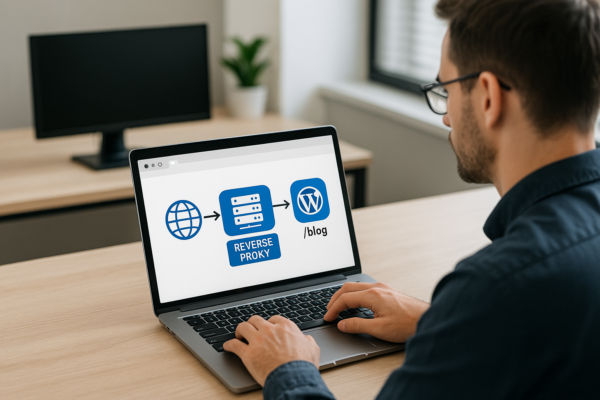
Setting up Reverse Proxies for Subfolder WordPress Blogs (e.g., app.com/blog)
How to set up a reverse proxy so your WordPress blog runs at app.com/blog: Nginx config, wp-config settings, Cloudflare options, and the redirect loops to avoid.
Nick Quirk
[…] Related reading: WordPress as an App Backend: Hosting Requirements for React/Vue Frontends. […]